

Solved

Creating groups in Looker Studio

  • August 8, 2024
  • 4 replies
  • 101 views

Natashafathani
Forum|alt.badge.img
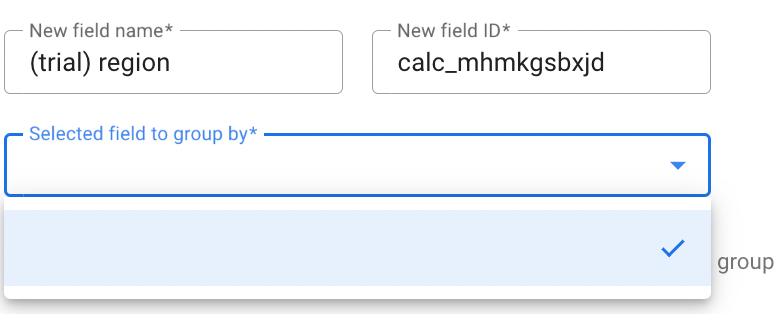
i want to create a group field in looker studio, but i can’t select ‘the field to group by’ because the list is not showing, can you help me to solve this?


Best answer by dataviz

I could reproduce the behaviour when trying to create the group directly from the datasource and not within the report.

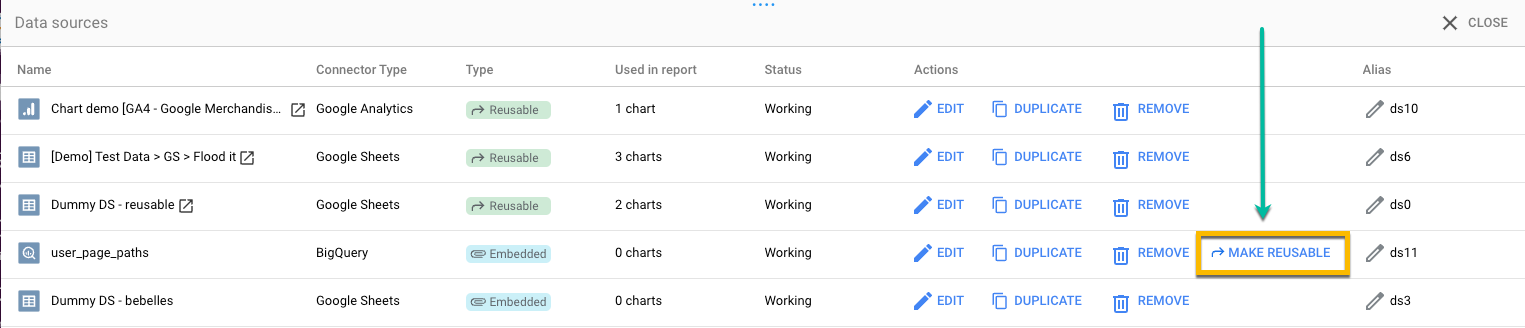
If you want to make sure that the group you’re building is available in multiple reports, I recommend to convert the datasource to a reusable datasource and use in all other reports. You can do this where you manage added datasources.
 

4 replies

dataviz
Forum|alt.badge.img+1
  • Supermetrics Team
  • August 8, 2024

Hi Natasha,

How does your datasource look like?


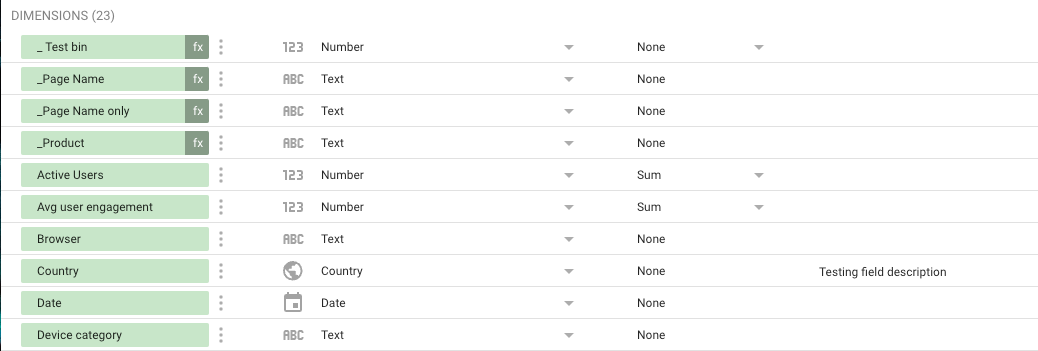
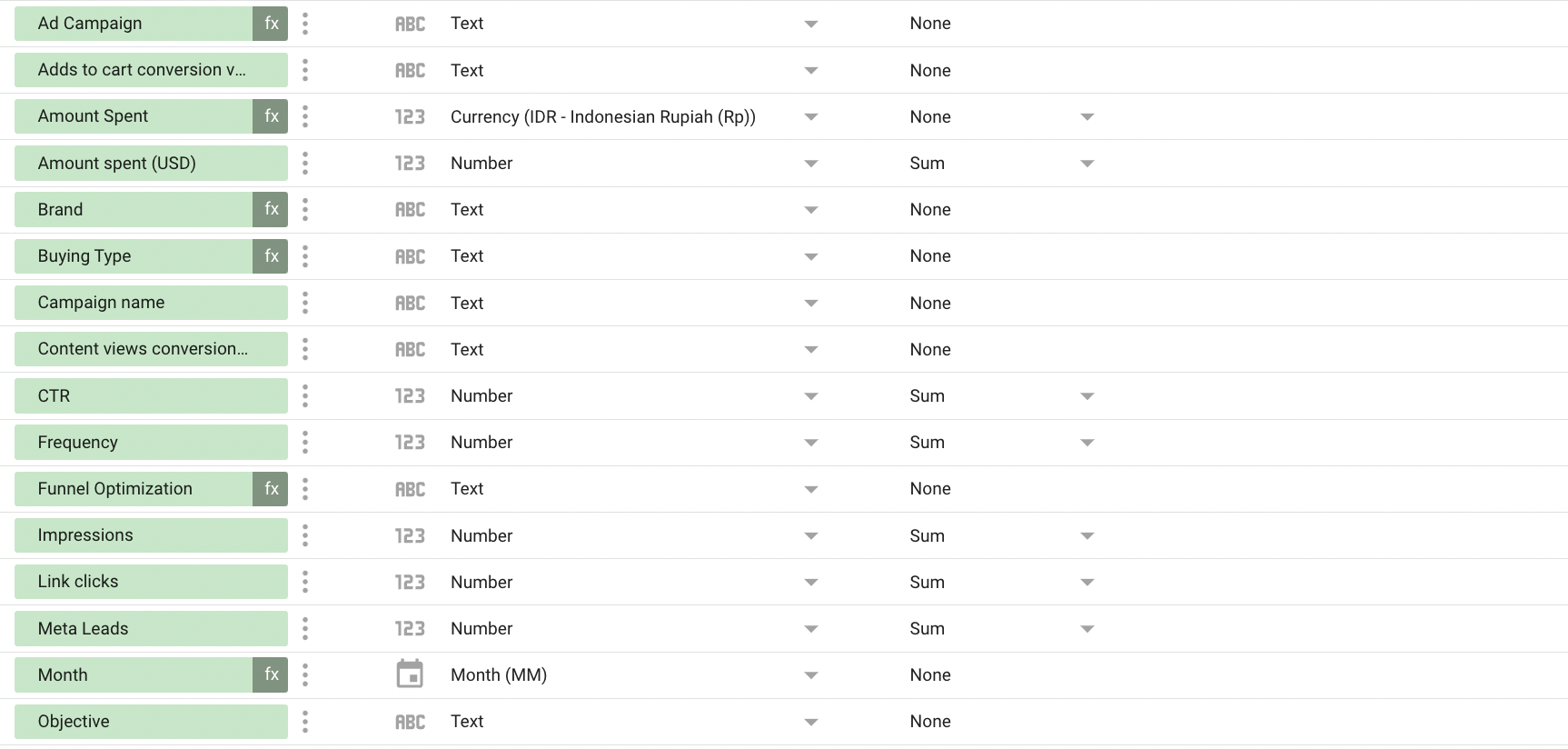
I’m curious to see what dimensions you have available, something that can be shown well with the field list (and maybe blur things if they are confidential)

I have never seen this, but curious to find out why this happens.


Natashafathani
Forum|alt.badge.img

my datasource looks like this


dataviz
Forum|alt.badge.img+1
  • Supermetrics Team
  • August 9, 2024

This should work, there are enough dimensions available.

I contacted you directly, as I would like to see the report.

ralph


dataviz
Forum|alt.badge.img+1
  • Supermetrics Team
  • Answer
  • August 9, 2024

I could reproduce the behaviour when trying to create the group directly from the datasource and not within the report.

If you want to make sure that the group you’re building is available in multiple reports, I recommend to convert the datasource to a reusable datasource and use in all other reports. You can do this where you manage added datasources.